> ## Documentation Index
> Fetch the complete documentation index at: https://strettch-make-section-id-optional.mintlify.site/llms.txt
> Use this file to discover all available pages before exploring further.
# How to Pay Your Strettch Cloud Bill
> Add a payment method, manage automatic monthly charges, settle outstanding invoices, and resolve failed payments for your Strettch Cloud team.
## How does billing work?
Strettch Cloud operates on a prepaid credit system. You add funds to your team's wallet, and your resource usage is deducted from this balance daily.
## How is usage calculated?
We track your resource usage (like Virtual Machines) continuously.
* **Compute (VMs):** Usage is calculated daily for the previous day. We bill by the hour. If you use a VM for part of an hour, it is rounded up to the full hour.
* **Public IPs:** Billed monthly. If you hold a public IP at any point during the month, you are charged the monthly fee.
We currently accept payment using credit cards (Visa, MasterCard, American Express, UnionPay), debit cards. We also support direct debit from banks.
## How do I pay?
You can make a manual payment on the **Billing tab** of the **Settings** page. Your current balance is always listed at the top of the page, next to a top-up button. The text of the button varies if the balance is overdue or if you’re making an early payment.
 Click the topu-up button to open a payment modal. In the Payment Amount section, you can select from any past due balance, estimated costs for the current billing period, or a custom amount.
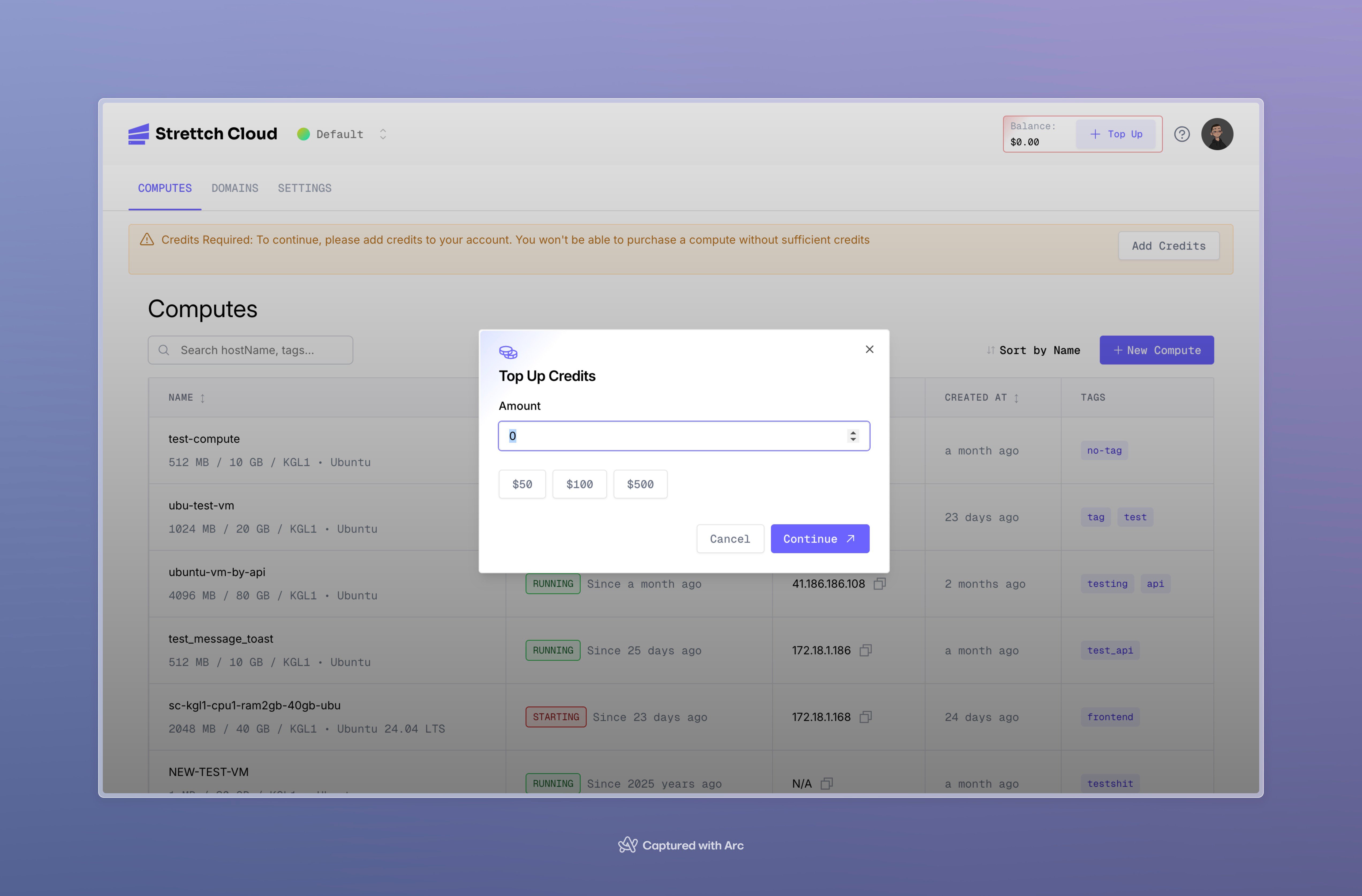 After you enter the amount you want to pay. Once the payment is confirmed, your balance will be updated immediately.
## When is my balance updated?
* **Top-ups:** Your balance increases as soon as we receive payment confirmation from IremboPay.
* **Usage Charges:** Your balance is debited once every 24 hours for the previous day's usage.
## What happens if my balance runs out?
If your balance is insufficient:
* **Past Due:** You will receive a reminder email.
* **Suspension:** If payment is not made, your resources may be suspended.
* **Termination:** Continued non-payment may lead to resource termination. We recommend keeping a positive balance to avoid service interruption.
After you enter the amount you want to pay. Once the payment is confirmed, your balance will be updated immediately.
## When is my balance updated?
* **Top-ups:** Your balance increases as soon as we receive payment confirmation from IremboPay.
* **Usage Charges:** Your balance is debited once every 24 hours for the previous day's usage.
## What happens if my balance runs out?
If your balance is insufficient:
* **Past Due:** You will receive a reminder email.
* **Suspension:** If payment is not made, your resources may be suspended.
* **Termination:** Continued non-payment may lead to resource termination. We recommend keeping a positive balance to avoid service interruption.