> ## Documentation Index
> Fetch the complete documentation index at: https://strettch-make-section-id-optional.mintlify.site/llms.txt
> Use this file to discover all available pages before exploring further.
# How Strettch Cloud Invoices Work
> Learn how monthly Strettch Cloud invoices are generated, when they are charged, what charges and credits they include, and how to download PDFs.
Strettch Cloud billing cycles are monthly. On the first day of each month, we invoice and charge your team’s primary payment method for the previous month’s usage. If your team does not use any resources, you do not receive an invoice.
Invoices include the following information:
* Charges the team has accured in a billing cycle, like resource usage
* **Credits** applied to the invoice, if any
* **Purchase orders**, if any
* Reference information, like the invoice number, payment due date, and the name and email address on the team
You can update the team information displayed on invoices on the **Settings** page’s **Invoices** tab. Any changes you make are immediately visible on invoices you view thereafter.
## View and Download Invoices
When we create an invoice, we email a PDF of it to team members with the owner or biller role. Invoices are also available directly in the control panel, as a downloadable PDF.
On the Invoices tab of the Settings page, your latest invoice is visible in the Month-to-date Summary section:
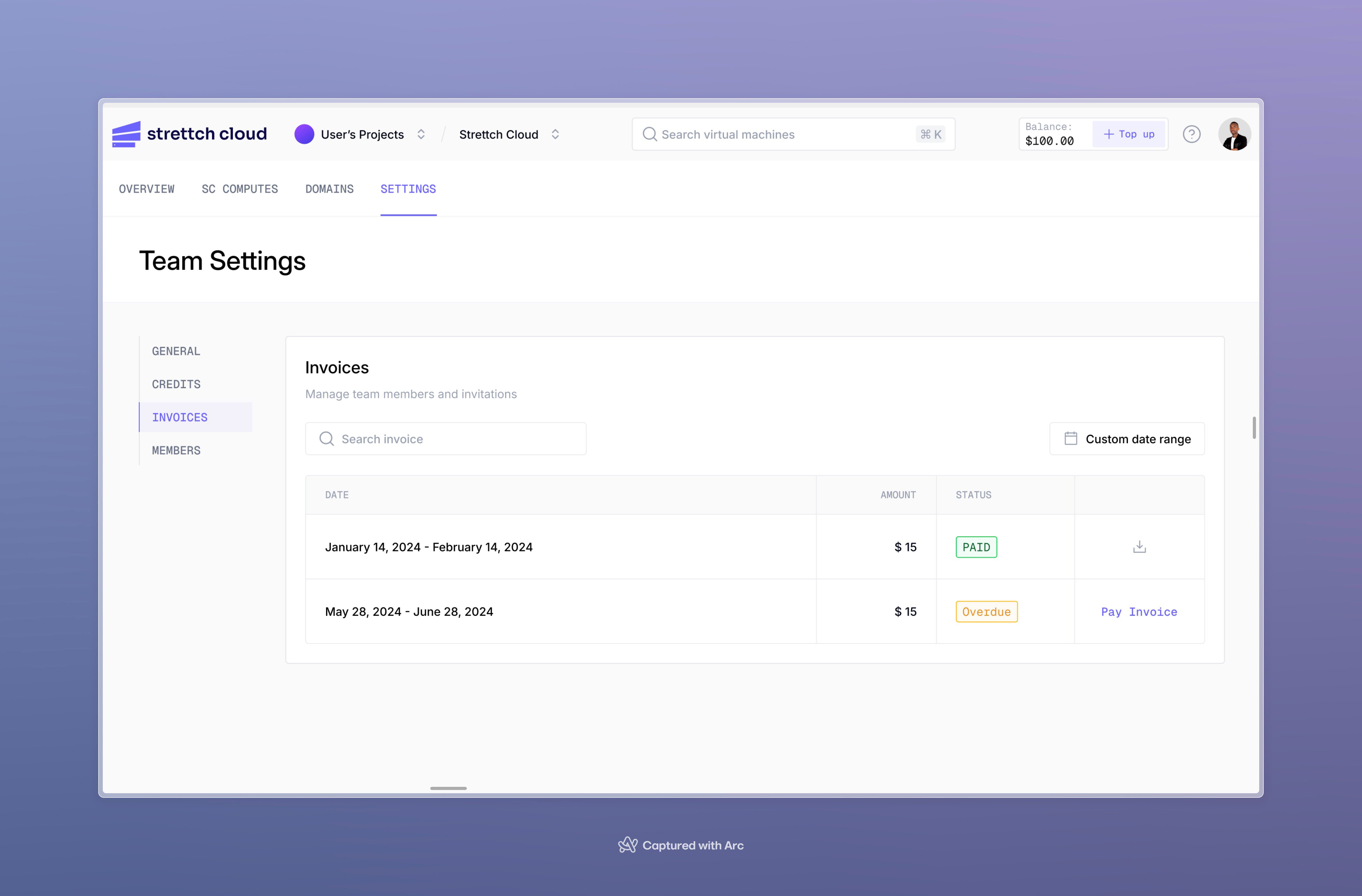 In this section, you can:
* View the invoice in your browser, and expand details on the charges by resource type and individual resource
* Download a PDF of the invoice
To download the PDF version of the invoice, click **Download icon**.
## Invoice Limits
The following limits apply to invoices:
* We cannot change invoice and billing dates.
* Invoices do not reflect topped-up credits or payments. Invoices are only for the charges incurred in the billing cycle.
* We are now billing exclusively in local currency (RWF) and all invoices are in RWF. With our plan to expand we plan to bill in the local currency of the country where the team is based.
In addition to monthly invoice emails, you will receive billing alerts, which are emails you receive when your monthly spending exceeds a certain threshold.
In this section, you can:
* View the invoice in your browser, and expand details on the charges by resource type and individual resource
* Download a PDF of the invoice
To download the PDF version of the invoice, click **Download icon**.
## Invoice Limits
The following limits apply to invoices:
* We cannot change invoice and billing dates.
* Invoices do not reflect topped-up credits or payments. Invoices are only for the charges incurred in the billing cycle.
* We are now billing exclusively in local currency (RWF) and all invoices are in RWF. With our plan to expand we plan to bill in the local currency of the country where the team is based.
In addition to monthly invoice emails, you will receive billing alerts, which are emails you receive when your monthly spending exceeds a certain threshold.